NOC Modernization: 10 Ways to Improve Your Support Operation in 2025

Enterprise network performance monitoring
Martin Dewald

By Martin Dewald

Solutions Manager, INOCMartin has worked in the NOC support industry for seven years and currently serves as a Solutions Manager at INOC. Prior to joining INOC, he worked for a telecommunications OEM, where he supported a range of functions globally in the services department including NOC operations, quality and improvements, performance management, network project delivery, and partner management. He holds a Bachelor’s degree in Marketing and International Business from Georgia College and State University.
In case your time is short
  • Focus on Observability: Modern enterprise network performance monitoring has evolved to emphasize observability over traditional network monitoring. Observability offers deep visual and data-driven insights, allowing enterprises to react proactively to enhance stability and performance.
  • Role of Visualization: Tools like LogicMonitor transform raw IT infrastructure data into visual formats that help users understand complex system behaviors over time, supporting rapid integration and comprehensive monitoring.
  • Beyond Real-Time Monitoring: Observability goes beyond immediate issues to include historical data analysis, facilitating trend analysis, and strategic planning. This comprehensive view helps enterprises anticipate and mitigate future issues.
  • Actionable Insights: Advanced monitoring tools analyze data to provide actionable insights, supporting informed decision-making and allowing preemptive issue resolution to avoid critical problems.
  • Challenges in Monitoring: Common challenges include insufficient resource allocation for IT tasks, maintaining and configuring monitoring tools, shifting from reactive to proactive management, and setting effective dashboards and alert thresholds.
  • INOC's Approach: We utilize a multi-layered ITIL framework integrating observability with traditional ITSM principles. This approach includes incident management, problem management, capacity management, and change management to optimize network performance and anticipate future needs.
  • Strategic Advice for Enterprises: When helping enterprise teams with performance monitoring, we encourage stepping back to define the IT environment's purpose, identifying the critical components needed to serve that purpose, assessing monitoring tools to make sure their tooling is capable, establishing relevant metrics, and continually adjusting those strategies and tools to stay aligned with business and technology developments.

Table of contents

In today's fast-paced, technology-driven world, a modern, efficient Network Operations Center (NOC) is essential for maintaining network performance and reliability. Based on extensive assessments by INOC, a leader in NOC lifecycle solutions, we’ve identified seven critical areas where NOCs often need the most help operationally. Here are seven ways to modernize your NOC and ensure it meets the demands of the future.

We've been at the forefront of designing and optimizing NOCs for over 20 years. Through firsthand assessments and deep dives into various NOC operations, INOC has pinpointed common operational gaps and areas for improvement. Our approach involves evaluating support requirements, analyzing gaps, and applying best practices to create tiered organizational structures and efficient workflows.

Here’s how INOC landed on these seven critical areas and their recommendations for modernizing your NOC.

1. Implement a Single Pane of Glass for Event Management

imageonline-co-roundcorner

In today's NOCs, the proliferation of monitoring tools and the increasing complexity of IT infrastructures have created significant challenges for engineers and analysts.

Many teams find themselves in a situation where multiple monitoring systems are generating alerts, leading to a fragmented view of the infrastructure's health and potential issues. In almost every case we see of this, the fragmentation directly results in delayed response times, missed critical events, and inefficient use of NOC resources.

The implementation of a Single Pane of Glass (SPOG) for event management addresses these challenges by providing a unified, comprehensive view of all monitored systems and services. It consolidates data from various sources into one coherent interface, enabling engineers to quickly identify, prioritize, and respond to issues across the entire technology environment.

In nearly every assessment we've conducted for existing NOCs looking to better operationalize themselves, we've encountered NOCs struggling to work across multiple monitoring tools and marry the signals and data between them.

For instance, one organization was using a combination of a homegrown synthetic monitoring tool, PagerDuty for infrastructure alerts, and an enterprise CRM for case management. This setup required analysts to constantly switch between systems, manually correlate events, and often led to delays in identifying and responding to critical issues.

Another common scenario we observed was the use of email as the primary notification method for alerts. This approach is highly inefficient, as it relies on human vigilance to monitor inboxes and lacks the ability to automatically prioritize or correlate events.

Our recommendations

1. For an advanced SPOG setup, implement an AIOps tool capable of intelligently correlating data between systems and data streams.

Evaluate and select an AIOps platform capable of ingesting data from all monitoring sources, such as Moogsoft or BigPanda. Consider factors like ease of use, customization capabilities, and alignment with your existing technology stack.

2. Whether AIOps is feasible or not, configure your integrations with existing monitoring tools (e.g., infrastructure monitoring, APM, log analytics).

We prioritize integrations based on the criticality of the systems being monitored and then work with vendors or internal teams to develop and test integrations for each monitoring tool. One of the most important nuances here making sure that all relevant metadata from source systems is preserved during ingestion and normalizing the data to ensure consistent formatting across all ingested events. With this in place, you can set up real-time data streaming where possible to minimize delays in event detection.

3. Implement event correlation rules to reduce noise and identify related issues.

Too many teams generate incident tickets expressing the same underlying issue, which is inefficient at best and downright chaotic at worst. Setting up even simple event correlation rules isn't difficult and can enormously impact efficiency.

Here's our approach:

  • Analyze historical event data to identify patterns and relationships between events.
  • Develop correlation rules based on common scenarios in your environment.
  • Implement time-based correlation to group events occurring within specific time windows.
  • Use topology-based correlation to relate events based on infrastructure dependencies.
  • If AIOps is in the workflow, implement machine learning algorithms to continuously improve correlation accuracy over time.
4. Set up automated ticket creation for actionable events.

With the proper tooling in place, NOCs can define clear criteria for what constitutes an actionable event and then configure automatic ticket creation in the ITSM system for events meeting these criteria.

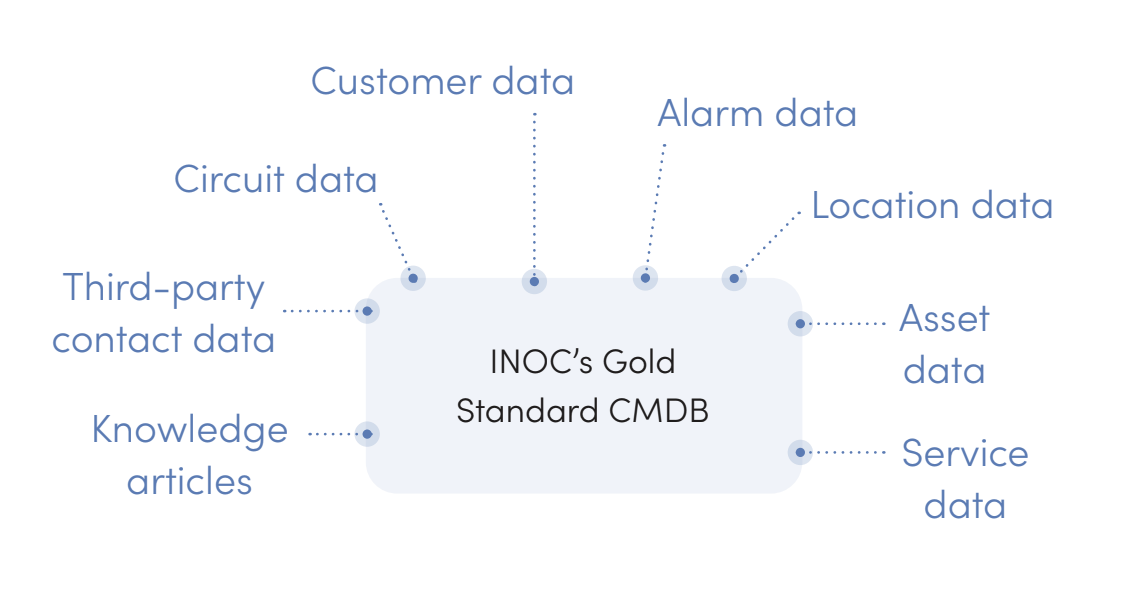
We only suggest doing this when a robust CMDB can enrich those tickets with context. With ticket automation in place, teams can implement intelligent routing to assign tickets to the appropriate teams or individuals and automatically update them based on event lifecycle changes.

5. Configure dashboards for NOC engineers to view and manage events efficiently.

We always build out role-specific dashboards that provide relevant information for different team members. All NOC dashboards should include key metrics such as open events by severity, MTTR, and SLA compliance, allowing engineers to drill down capabilities for detailed event analysis.

Advanced dashboarding should incorporate visualizations like heat maps or network topology views for intuitive problem identification. Read our other post for more on reporting in the NOC.

5. Above all, make sure 100% of actionable events are ticketed to enable comprehensive tracking and reporting.

Above all, make sure 100% of actionable events are ticketed to enable comprehensive tracking and reporting. By ticketing all actionable events, you create a comprehensive audit trail that can be used for various purposes:

  • Tracking all events allows for accurate calculation of key metrics like Mean Time to Acknowledge (MTTA) and Mean Time to Resolve (MTTR).
  • A complete dataset enables more effective trend analysis, helping to identify recurring issues or problematic systems.
  • Understanding the full volume and nature of events helps in making informed decisions about staffing and skill requirements.
  • A comprehensive record of events and their resolutions provides valuable data for ongoing process improvement efforts.

How to get started

Talk to us about a NOC Operations Consulting engagement to implement this process.

  1. Conduct a thorough assessment of your current event management processes and tools. 
  2. Develop a business case for implementing a SPOG solution, highlighting potential efficiency gains and improved service quality.
  3. Form a cross-functional team to lead the SPOG implementation, including representatives from the NOC, IT operations, and relevant application teams.
  4. Develop a phased implementation plan, starting with critical systems and gradually expanding to cover all monitored services.
  5. Establish clear KPIs to measure the success of the SPOG implementation, such as reduction in MTTR, improved first-call resolution rates, and decreased event noise.
  6. Train your NOC staff on the new SPOG platform and associated processes.
  7. Implement a feedback loop to continuously refine event correlation rules and dashboard configurations based on real-world usage.

2. Formalize and Streamline Your Incident Management Process

imageonline-co-roundcorner (2)

Every NOC incident management process we've evaluated had plenty of room for improvement. In one organization, incident updates were often communicated via email or chat, bypassing the official ticketing system. This led to a fragmented view of incident status and history, making it difficult to track progress and perform post-incident analysis.

In another NOC assessment, an enterprise services company struggling with lengthy incident resolution times and frequent SLA breaches. Their incident management process was largely manual, with different teams using various tools for communication and tracking.

We helped them implement a centralized ITSM platform with automated workflows and notifications. Standardized templates were created for common application issues, network outages, and security incidents. A tiered support model was implemented, with clear escalation paths defined for different types of incidents.

One other common issue is the lack of standardization in incident documentation. Different analysts record information in varying formats and levels of detail, complicating handovers and impeding the identification of trends or recurring issues.

Our recommendations

1. Establish an ITSM platform for all incident-related communication.

If you don't use one already, choose a robust ITSM platform that can serve as the central hub for all incident management activities. Then, develop and enforce policies that require all incident-related communications to be logged into that system. Configure the ITSM platform to integrate with other communication tools (e.g., email, chat) to capture external communications.

Implement a user-friendly interface to encourage adoption and minimize the temptation to use alternative communication channels. Provide training to all stakeholders on the importance of centralized communication and how to effectively use the ITSM platform.

2. Develop standardized incident templates for common issue types.

We typically go about this by analyzing historical incident data to identify the most frequent types of issues. We then create templates for each common incident type, including fields for all necessary information, including impact assessment, affected services, and required resources.

3. Implement automated workflows for incident triage, escalation, and updates.

Define clear criteria for incident prioritization based on impact and urgency, and then implement automatic assignment rules based on incident type, affected service, or required skills. Here at INOC, we set up automated escalation workflows for incidents that breach defined thresholds or SLAs. We then configure automatic status updates based on ticket activity or predefined time intervals. Lastly, we implement intelligent routing to ensure incidents are directed to the most appropriate team or individual.

4. Configure SLA tracking and alerts for critical incidents.

Define clear, measurable SLAs for different incident priorities and service types — and then implement real-time SLA tracking within the ITSM platform. We also set up automated alerts for impending SLA breaches to prompt timely action.

The NOC's dashboards should be configured to display SLA compliance metrics for individual incidents and overall performance. Escalation procedures should also be established for incidents at risk of breaching SLAs.

5. Set up automated notifications to relevant stakeholders based on incident priority and impact.

Identify your various stakeholder groups and their information needs for different types of incidents. Then, configure automated notification rules based on incident priority, affected services, and stakeholder roles. We take this a step further by implementing customizable notification templates that include relevant incident details and next steps.

We also set up different notification channels (e.g., email, SMS, push notifications) based on incident severity and stakeholder preferences. On the receiving end, it's a good idea to implement a mechanism for stakeholders to easily acknowledge receipt of notifications and request updates.

Tiering your support operation with clear escalation paths

One of the foundational problems that undermines good incident management is a lack tiering (1, 2, and 3) within the NOC that lend themselves to logical escalation paths. Without a structure like this, incidents often get passed around without consistency.

A tiered IT support structure will enable IT managers to leverage the lower-cost first-level or Tier 1 NOC to perform routine activities and free up higher-level or Tier 2/3 IT support engineers to focus on more advanced issues and implement strategic initiatives for the organization.

Our internal data shows that a tiered IT support structure can effectively resolve 65% of incidents at the Tier 1 level and escalate advanced issues to specialized IT staff. This enables the support group to handle the events, service requests and incidents at the appropriate tier while achieving resolution as quickly as possible.

Below is a tiered support structure, central to which is the Tier 1 NOC that interacts with monitoring tools, an end-user help desk and specialist engineers. Information flows between the various tools and entities within a well-defined process framework. Depending on the size and complexity of the infrastructure, there may be different ways to implement this structure. For example, a carrier that is primarily concerned with network support may not need a help desk.

Screenshot 2024-07-19 at 4.20.10 PM

Most organizations have higher-level specialist engineering staff but lack a 24x7 Tier 1 NOC. Industry studies show that the average hourly compensation for first-level support staff is $25, while second- and third-level support engineers earn an average of $50 an hour. It's neither productive nor cost-effective for expensive Tier 2/3 engineers to perform activities that can be handled by front-line or Tier 1 NOC support personnel.

An organization can cost-effectively improve the support function by utilizing a 24x7 Tier 1 NOC service to perform basic support activities that can be escalated to the Tier 2/3 support personnel when necessary.

We consistently see a few direct benefits of implementing a Tier 1 NOC:

  • It reduces the overall cost of delivering IT support. Again, about 65% of IT support activity can be performed on a 24x7 basis by Tier 1 NOC personnel resources that cost considerably less than specialist Tier 2/3 resources.
  • It lowers MTTR. By having a 24x7 NOC that follows a repeatable process for managing incidents, not only is the response time to an alarm lower, but the resolution process is repeatable and acted upon and escalated in a consistent, formal way.
  • It frees Tier 2/3 personnel. Interruptions in the form of support activity are a distraction to strategic projects performed by specialist engineers. Diverting resources off a project and re-engaging after interruptions results in productivity losses. Resource utilization is improved significantly by engaging the Tier 2/3 engineers appropriately when their specialist knowledge is needed. (As the example above shows, nearly two-thirds of all support activities can be performed by the Tier 1 NOC and thus Tier 2/3 personnel remain available for other activities.)
  • It improves the end-user experience. By providing a 24x7 service desk, the NOC service ensures that incidents are detected, prioritized and resolved around the clock. The end users are notified with a time to resolution. Thus, proactive management of the IT infrastructure results in a higher quality of support to the end user.

Building or Outsourcing a Tier 1 NOC

The decision to utilize or build an internal NOC depends on a number of economic and strategic factors. The following elements represent the basic cost drivers required to run or build an internal NOC.

  • The volume of events, support requests and incidents
  • Initial software and ongoing support
  • Initial server hardware and ongoing support
  • Implementation, customization and integration of software
  • Systems and application engineers
  • NOC staffing requirements (hours of coverage [e.g., 24x7, 8-to-5] and number of personnel per shift)
  • Training costs
  • Miscellaneous costs (e.g., disaster recovery site for redundancy, office space, monitoring stations, telephone, network connectivity, and power)

Most organizations can't justify the high expense of setting up or operating an internal 24x7 NOC. Instead, it's more economically feasible to outsource the Tier 1 NOC service to a qualified company. Outsourcing is a cost-effective option because of the inherent economies of scale that NOC service companies provide.

Here at INOC, Our NOC support framework typically reduces high-tier support activities by 60% or more, often as much as 90%. Need us to take on all levels of support? Dedicate your full time and attention to growing and strengthening your service. We’ll deliver world-class NOC support conveyed through a common language for fast, effective communication with you, your customers, and all impacted third parties.

How to get started

Talk to us about a NOC Operations Consulting engagement to implement this process.

  1. Conduct a comprehensive review of your current incident management processes, identifying gaps and inefficiencies.
  2. Develop a detailed implementation plan for enhancing incident management, including timelines, resource requirements, and key milestones.
  3. Configure your ITSM platform to support the enhanced processes, including customizing fields, workflows, and notifications.
  4. Develop a comprehensive training program for NOC staff and other stakeholders on the new incident management processes and ITSM platform usage.
  5. Create and document clear escalation procedures, including criteria for escalation and expected response times at each tier.
  6. Implement regular incident review meetings to analyze significant incidents, identify trends, and drive continuous improvement.
  7. Develop KPIs for incident management, such as Mean Time to Resolve (MTTR), First Contact Resolution rate, and SLA compliance.
  8. Establish a feedback mechanism for end-users and stakeholders to assess satisfaction with incident handling and identify areas for improvement.
  9. Regularly review and update your incident management processes to ensure they remain aligned with evolving business needs and technological advancement

3. Develop a Robust Problem Management Process

imageonline-co-roundcorner (2)

Problem management is a critical yet often overlooked aspect of ITSM.

While incident management focuses on restoring service as quickly as possible, problem management aims to identify and address the root causes of incidents, preventing their recurrence and improving overall service stability. A robust problem management function can significantly reduce the volume of incidents over time, improve system reliability, and free up NOC resources to focus on proactive improvements rather than reactive firefighting.

In our NOC operations assessments, we frequently see that problem management is either non-existent or severely underdeveloped. Many teams focus solely on incident resolution without dedicating resources to identifying and addressing underlying issues. For instance, in one large telecom company, we found that the same network connectivity issues were causing repeated outages every few weeks, but no systematic effort was made to investigate and resolve the root cause.

In another case, a retail organization experienced regular performance degradation in its e-commerce platform during peak shopping periods. While the NOC team was adept at quickly implementing workarounds, no process was in place to analyze these recurring issues and develop long-term solutions.

Our recommendations

1. Establish a dedicated problem management team or assign responsibilities to senior NOC staff.

We typically approach problem management through a few steps:

  • Start by assessing the current state of problem management in your organization and identify gaps.
  • Define clear roles and responsibilities for problem management. If resources allow, create a dedicated problem management team. Otherwise, identify senior NOC staff who can take on problem management responsibilities.
  • Make sure that problem management staff have the necessary skills and authority to investigate issues across different IT domains.
  • Provide training on problem management principles and techniques to the designated staff.
2. Implement proactive problem identification processes using trend analysis of incidents and events.

Problem management requires tooling to analyze incident and event data to identify patterns and trends. Once this tooling is in place, we set up automated reports to highlight recurring incidents or events that could indicate underlying problems.

A key component of problem management is establishing thresholds for automatically triggering problem investigations (e.g., three similar incidents within a week). Here at INOC, we take this a step further for our clients by using machine learning algorithms to detect anomalies and potential problems before they cause significant impacts. In addition to machine-based problem detection, we also suggest implementing a process for NOC staff to flag potential problems based on their observations and experience.

3. Develop a standardized root cause analysis (RCA) methodology.

To determine root causes, choose an appropriate RCA methodology, such as 5 Whys, Ishikawa diagrams, or Fault Tree Analysis — and create templates and guidelines for conducting and documenting RCAs.

Establish criteria for when a formal RCA should be conducted (e.g., for all major incidents or recurring issues) and implement a simple peer review process for RCAs to ensure thoroughness and quality.

4. Create a process for tracking and implementing problem resolutions.

Implement a system for recording and tracking identified problems, separate from incident records. If problems tend to pile up, develop a prioritization framework for addressing problems based on their impact and urgency.

To operationalize your tracking and implementation process:

  • Create a workflow for proposing, reviewing, and approving problem resolutions.
  • Establish clear ownership and timelines for implementing approved solutions.
  • Implement a process for verifying the effectiveness of implemented solutions.
5. Establish regular problem review meetings with relevant stakeholders.

Schedule regular problem review meetings, inviting representatives from key IT teams and business units to these meetings. Use these meetings to review open problems, discuss proposed solutions, and track progress on implementations. Analyze trends in problem data to identify systemic issues or areas for improvement. Use these meetings as a forum for knowledge sharing and cross-team collaboration.

How to get started

Talk to us about a NOC Operations Consulting engagement to implement this process.

  1. Conduct a gap analysis of your current problem management capabilities against industry best practices.
  2. Develop a detailed implementation plan for enhancing problem management, including timelines, resource requirements, and key milestones.
  3. If not already in place, implement a dedicated problem management module in your ITSM platform.
  4. Develop and document problem management policies and procedures, including criteria for problem identification, prioritization, and escalation.
  5. Create templates for problem records, RCA reports, and solution proposals.
  6. Implement tools and processes for trend analysis of incident and event data.
  7. Establish KPIs for problem management, such as number of problems identified, time to root cause identification, and reduction in related incidents.
  8. Develop a training program on problem management principles and processes for NOC staff and other relevant IT teams.
  9. Implement a knowledge management process to capture and share lessons learned from problem investigations.
  10. Establish a regular cadence of reviews to assess the effectiveness of the problem management function and identify areas for improvement.

4. Enhance Change Management Processes

imageonline-co-roundcorner (2)

Change management is a critical process in IT service management that ensures modifications to the IT environment are implemented in a controlled and systematic manner. Effective change management minimizes the risk of service disruptions, improves the success rate of changes, and provides a clear audit trail for all modifications to the IT infrastructure.

From our assessments, we observed various levels of change management maturity across organizations. For instance, one organization had a well-structured change management process centered around formal Maintenance Window calendar events. However, it was determined that over 95% of changes occurring were outside of these events as they were deemed to be Low-risk.

In another case, a large organization had approximately 400 change requests per month initiated by both internal departments and Service Owners. They utilized a Change Advisory Board (CAB) and had a Change Manager who led Change Management for the IT team.

Our recommendations

1. Establish a formal Change Advisory Board (CAB) with representation from key IT functions.
  • Define the composition of the CAB, ensuring representation from key IT functions.
  • Establish regular CAB meetings to review and approve changes.
  • Define the roles and responsibilities of CAB members.
  • Implement a process for emergency CAB meetings for urgent changes.
2. Implement proactive problem identification processes using trend analysis of incidents and events.

Problem management requires tooling to analyze incident and event data to identify patterns and trends. Once this tooling is in place, we set up automated reports to highlight recurring incidents or events that could indicate underlying problems.

A key component of problem management is establishing thresholds for automatically triggering problem investigations (e.g., three similar incidents within a week). Here at INOC, we take this a step further for our clients by using machine learning algorithms to detect anomalies and potential problems before they cause significant impacts. In addition to machine-based problem detection, we also suggest implementing a process for NOC staff to flag potential problems based on their observations and experience.

3. Develop a standardized root cause analysis (RCA) methodology.

To determine root causes, choose an appropriate RCA methodology, such as 5 Whys, Ishikawa diagrams, or Fault Tree Analysis — and create templates and guidelines for conducting and documenting RCAs.

Establish criteria for when a formal RCA should be conducted (e.g., for all major incidents or recurring issues) and implement a simple peer review process for RCAs to ensure thoroughness and quality.

4. Create a process for tracking and implementing problem resolutions.

Implement a system for recording and tracking identified problems, separate from incident records. If problems tend to pile up, develop a prioritization framework for addressing problems based on their impact and urgency.

To operationalize your tracking and implementation process:

  • Create a workflow for proposing, reviewing, and approving problem resolutions.
  • Establish clear ownership and timelines for implementing approved solutions.
  • Implement a process for verifying the effectiveness of implemented solutions.
5. Establish regular problem review meetings with relevant stakeholders.

Schedule regular problem review meetings, inviting representatives from key IT teams and business units to these meetings. Use these meetings to review open problems, discuss proposed solutions, and track progress on implementations. Analyze trends in problem data to identify systemic issues or areas for improvement. Use these meetings as a forum for knowledge sharing and cross-team collaboration.

How to get started

Talk to us about a NOC Operations Consulting engagement to implement this process.

  1. Conduct a gap analysis of your current problem management capabilities against industry best practices.
  2. Develop a detailed implementation plan for enhancing problem management, including timelines, resource requirements, and key milestones.
  3. If not already in place, implement a dedicated problem management module in your ITSM platform.
  4. Develop and document problem management policies and procedures, including criteria for problem identification, prioritization, and escalation.
  5. Create templates for problem records, RCA reports, and solution proposals.
  6. Implement tools and processes for trend analysis of incident and event data.
  7. Establish KPIs for problem management, such as number of problems identified, time to root cause identification, and reduction in related incidents.
  8. Develop a training program on problem management principles and processes for NOC staff and other relevant IT teams.
  9. Implement a knowledge management process to capture and share lessons learned from problem investigations.
  10. Establish a regular cadence of reviews to assess the effectiveness of the problem management function and identify areas for improvement.

Whether AIOps is feasible or not, configure integrations with existing monitoring tools (e.g., infrastructure monitoring, APM, log analytics). We prioritize integrations based on the criticality of the systems being monitored and then work with vendors or internal teams to develop and test integrations for each monitoring tool. One of the most important nuances here making sure that all relevant metadata from source systems is preserved during ingestion and normalizing the data to ensure consistent formatting across all ingested events. With this in place, you can set up real-time data streaming where possible to minimize delays in event detection

Our recommendations

  • For the most advanced SPOG setup, an AIOps tool capable of intelligently correlating data between systems and data streams is key. Evaluate and select an AIOps platform capable of ingesting data from all monitoring sources, such as Moogsoft or BigPanda. Consider factors like ease of use, customization capabilities, and alignment with your existing technology stack.
  • Whether AIOps is feasible or not, configure integrations with existing monitoring tools (e.g., infrastructure monitoring, APM, log analytics). We prioritize integrations based on the criticality of the systems being monitored and then work with vendors or internal teams to develop and test integrations for each monitoring tool. One of the most important nuances here making sure that all relevant metadata from source systems is preserved during ingestion and normalizing the data to ensure consistent formatting across all ingested events. With this in place, you can set up real-time data streaming where possible to minimize delays in event detection.
  • Implement event correlation rules to reduce noise and identify related issues. Too many teams generate incident tickets that express the same issue. Setting up even simple event correlation rules isn't difficult and can have an enormous impact on efficiency. Here's our approach:
    • Analyze historical event data to identify patterns and relationships between events.
    • Develop correlation rules based on common scenarios in your environment.
    • Implement time-based correlation to group events occurring within specific time windows.
    • Use topology-based correlation to relate events based on infrastructure dependencies.
    • If AIOps is in the workflow, implement machine learning algorithms to continuously improve correlation accuracy over time.
  • Set up automated ticket creation for actionable events. With the proper tooling in place, NOCs can define clear criteria for what constitutes an actionable event and then configure automatic ticket creation in the ITSM system for events meeting these criteria. We only suggest doing this when there's also a robust CMDB that can enrich those tickets with context. With ticket automation in place, teams can implement intelligent routing to assign tickets to the appropriate teams or individuals, and automatically update them based on event lifecycle changes.
  • Configure dashboards for NOC analysts to view and manage events efficiently. We always build out role-specific dashboards that provide relevant information for different team members. All NOC dashboards should include key metrics such as open events by severity, MTTR, and SLA compliance and allow analysts to drill down capabilities for detailed event analysis. Advanced dashboarding should incorporate visualizations like heat maps or network topology views for intuitive problem identification.
  • Above all, make sure 100% of actionable events are ticketed to enable comprehensive tracking and reporting. By ticketing all actionable events, you create a comprehensive audit trail that can be used for various purposes:
    • Tracking all events allows for accurate calculation of key metrics like Mean Time to Acknowledge (MTTA) and Mean Time to Resolve (MTTR).
    • A complete dataset enables more effective trend analysis, helping to identify recurring issues or problematic systems.
    • Understanding the full volume and nature of events helps in making informed decisions about staffing and skill requirements.
    • A comprehensive record of events and their resolutions provides valuable data for ongoing process improvement efforts.

5. Formalize your incident management process

Effective incident management is the cornerstone of successful NOC operations. Assessments revealed common challenges such as inconsistent documentation and manual escalation processes. In one organization, incident updates were often communicated via email or chat, bypassing the official ticketing system. This led to a fragmented view of incident status and history, making it difficult to track progress and perform post-incident analysis.

Our recommendations

  • Establish the ITSM platform as the single source of truth for all incident-related communication.
  • Configure integrations with existing monitoring tools (e.g., infrastructure monitoring, APM, log analytics).
  • Implement event correlation rules to reduce noise and identify related issues.
  • Set up automated ticket creation for actionable events.
  • Configure dashboards for NOC analysts to view and manage events efficiently.
  • Make sure 100% of actionable events are ticketed to enable comprehensive tracking and reporting. This is crucial for maintaining a complete record of all incidents and issues affecting the infrastructure.

As we dive into insights we’ve gleaned from decades of experience supporting network operations in enterprise organizations, we focus on how the advanced observability of IT systems goes beyond traditional network monitoring by offering deep visual and data-driven insights.

These capabilities allow enterprises to not only react to real-time and historical data but also to make proactive adjustments that enhance overall performance and stability.

Disarticulating “Performance Monitoring” From “Network Monitoring”

Performance monitoring in an enterprise context often centers on the concept of "observability," which differs slightly from general network monitoring.

Observability focuses on visualizing metrics and data from IT infrastructure in meaningful ways that drive decision-making. Performance monitoring extends beyond basic monitoring tasks, such as generating alarms and alerts, to include graphical representations of data like charts and graphs, which help understand trends, network top talkers, and overall infrastructure performance. This kind of monitoring gathers data points over time and transforms them into insightful visualizations for actionable intelligence.

Let’s break this down a bit further:

Visualization of Metrics and Data

Observability platforms, such as LogicMonitor, play a crucial role in converting raw data from IT infrastructure into visual formats that are easy to interpret. This visualization capability enables IT teams to see beyond mere data points and understand complex system behaviors over time.

For example:

  • LogicMonitor can automatically discover network devices across various brands, such as Cisco, Juniper, and Meraki. This allows for quick integration and monitoring setup, helping organizations rapidly achieve visibility across their network infrastructures.
  • LogicMonitor provides detailed monitoring for various network elements such as firewalls, routers, switches, and SD-WAN solutions. It supports multiple protocols, including SNMP, API, jFlow, NetFlow, sFlow, and more, ensuring thorough coverage and visibility.
  • The introduction of Datapoint Analysis in LogicMonitor's new UI offers deep analytical capabilities. It allows users to analyze and visualize data in depth, which facilitates informed decision-making and efficient problem resolution.

Graphical Representations

Unlike traditional network monitoring, which might only alert to a system's up/down status or basic performance thresholds, observability includes detailed graphical representations like charts and graphs. These visuals help identify trends, understand resource utilization patterns, and pinpoint the top network traffic sources.

(Actually) Actionable Insights

The ultimate goal of observability is to transform data into actual insights that inform decisions. This process involves not just collecting and monitoring data but analyzing it in useful ways to make informed decisions that can preempt potential issues. For example, observability can reveal a slowly developing problem before it becomes critical, enabling proactive interventions.

Beyond Real-Time Monitoring

While “network monitoring” often focuses on real-time data and immediate issues, observability encompasses both real-time and historical data analysis. This allows for trend analysis and long-term planning, providing a strategic advantage in IT management and the NOC, more specifically. Observability tools can aggregate data over extended periods, offering insights into seasonal impacts, long-term growth trends, or recurring issues that require structural changes in the network or applications.

In short, while network monitoring focuses on the operational status of network components (like routers, switches, and connections), checking for faults, failures, or inefficiencies, observability dives deeper into analyzing data collected from these and other IT systems.

We speak from experience when we say observability isn’t just a buzzword but has a strategic impact in its ability to inform decision-making at multiple levels of an organization. For instance, our clients often use observability data to justify investments in infrastructure upgrades or to tweak resource allocation to optimize performance.

Similarly, operational teams can adjust configurations, enhance security postures, or streamline workflows based on insights derived from observability tools.

Addressing the Challenges of Enterprise Network Performance Monitoring Today

As a NOC service provider supporting many enterprise organizations, we’re uniquely aware of the challenges they face in monitoring network performance.

Here’s a brief rundown of where we see teams struggle most these days.

1. Resource allocation

Many enterprises lack a dedicated IT staff focused on performance, problem, and capacity management. This often leads to issues that are only addressed once they have escalated to critical disruptions, which can be costly and damaging to business operations.

For example, an e-commerce company might experience frequent downtimes during peak sales periods due to inadequate server load and network capacity monitoring. They might lack specialized IT staff and trending data capabilities to understand how to optimize network performance under varying loads at certain times.

We often recommend these teams assess their current IT staffing and consider training existing staff to handle these specialized tasks or hiring additional personnel. For many businesses, particularly those without the scale to support such specialization, outsourcing to providers like INOC can naturally emerge as a more cost-effective and efficient solution and trigger the move to our platform.

If you're not familiar with our Ops 3.0 platform, INOC's VP of Technology, Jim Martin sums it up:


2. Tool maintenance and configuration

Enterprises also often struggle with the time and expertise required to maintain and configure monitoring tools properly. This includes setting appropriate performance thresholds and developing effective dashboards that can provide actionable insights.

We recommend (safely and competently) automating as many of these processes as possible. Modern monitoring tooling offers automated alerting, threshold adjustments based on machine learning, and pre-configured dashboards tailored to specific industry needs can significantly reduce the burden on IT staff. Yet, we consistently see these tools underused, even in surprisingly large environments.

A healthcare provider, for example, whose network monitoring tooling isn’t properly configured to recognize the critical nature of certain applications could mean that alerts that signal serious issues go unnoticed until they affect patient care. We step to automate alert configurations and establish thresholds based on application criticality. By employing AI and machine learning, thresholds and alerts can be dynamically adjusted to ensure that critical applications maintain high availability and reliability.

3. Proactive vs. reactive management

Another more nebulous challenge is the entrenched reactive culture within IT departments, where the focus is on resolving issues as they occur rather than investing the resources and effort to prevent them.

Transitioning to a proactive management approach requires a shift in strategy and mindset. Typically, the best way to trigger that change is to measure the direct and indirect costs of downtime. Then, the resources required to get proactive can be pitched as a genuine investment whose value will exceed its costs.

As a brief aside, calculating the costs of downtime can be tricky, but here are some ways to measure it across several dimensions:

  • Calculate Direct Losses: Quantify the immediate financial impact of downtime. This could include loss of sales, reduced productivity, and any costs incurred during the downtime to try and mitigate the impact (e.g., overtime labor, additional resource allocation). Metrics such as sales per hour can help quantify losses due to unavailable services.
  • Estimate Recovery Costs: Significant resources are often needed to restore services and systems to normal after an outage. These costs may include technical support expenses, additional hardware or software costs, and the expense involved in identifying and rectifying the issue.
  • Evaluate Impact on Customer Satisfaction and Retention: IT downtime can lead to poor user experience, loss of customer trust, and customer churn. Estimating the long-term financial impact of lost customers and the cost of acquiring new ones can be complex but crucial. Surveys and historical data on customer retention rates post-downtime incidents can provide valuable insights.
  • Compliance and Legal Costs: Depending on the industry, downtime can result in breaches of legal or regulatory compliance, leading to fines, penalties, and legal costs. Understanding these potential costs is critical for industries like finance, healthcare, and public services.
  • Opportunity Costs: Consider what strategic initiatives or innovations were delayed or shelved because resources had to be diverted to address or mitigate downtime.

Researchers have attempted to measure the costs and impact of downtime, too. An oft-cited 2014 Gartner report states the average cost of downtime to be $5,600 per minute. A 2016 report from Ponemon Institute calculates the average to nearly double that at $9,000 per minute. Of course, these are imperfect studies and simple averages relative to some factors like industry, revenue, etc. Still, those numbers are no laughing matter.

4. Dashboard and visualization effectiveness

Many enterprises don’t have effective single-pane-style dashboards that effectively communicate KPIs and critical alerts to relevant stakeholders.

We always stress the importance of developing dashboards that are not only informative but also actionable. This means including real-time data visualizations highlighting unusual activities, trends, and potential bottlenecks. Dashboards should be customizable to reflect the specific needs and priorities of different teams within the organization.

The slider below shows a sample of the reports and dashboards we maintain for all of our clients.

change metrics

Change Metrics: These monitor changes made, categorizing them as service-affecting or non-service-affecting and breaking them down by time of day and day of the week.

NOC Time to Close

NOC TTC (Time-to-Close): This calculates the average time it takes to close an incident after it has been resolved.

NOC TTN

NOC TTN (Time-to-Notify) Compliance: This measures the time it takes for the service to notify about an issue. 

NOC TTA

TTA (Time-to-Acknowledge) Compliance: This measures how often a specific performance metric is met. In the example below, P1 TTA was met 100% of the time in May 2023.


📄 Read our other guides for a deeper dive into dashboarding and reporting in the NOC:

5. Thresholds and alerting

This is one of the most pervasive problems we see in enterprises. Incorrectly set thresholds can lead to either an overwhelming number of irrelevant alerts (alert fatigue) or a dangerous lack of critical alerts (under-monitoring). A network monitoring system that generates too many insignificant alerts often causes IT staff to become desensitized to warnings, which leads to missing critical alerts.

We recommend implementing dynamic thresholding where the system learns from historical data to set more accurate alert thresholds. For example, if the network load consistently peaks at certain times without issues, the system would learn not to trigger an alert during these times, reducing noise and focusing attention on truly anomalous and potentially problematic deviations.

INOC’s Approach to Performance Monitoring

We leverage a multi-layered ITIL framework to manage and optimize network performance for enterprise NOC support clients.

More specifically, we integrate traditional ITSM principles guided by ITIL with modern observability and performance monitoring techniques. This combination gives us a holistic approach to managing IT services and infrastructure.

Here are the core components of our methodology:

  • Incident Management: We use performance monitoring tools to detect and respond to incidents in real time. Our Ops 3.0 platform uses machine learning and automation (AIOps) in combination with a robust configuration management database (CMDB) to correlate alarm data and generate incidents at machine speed, ensuring immediate attention to potential disruptions.

  • Problem Management: Beyond addressing immediate incidents, our service strategy—again, in alignment with ITIL— includes identifying and analyzing recurring problems to prevent future incidents. This aspect of problem management involves analyzing data collected over time from various network components to pinpoint underlying issues that could lead to repeated system disruptions or degraded performance. The goal is to stop waiting for fires to start across a network by fire-proofing it.

  • Capacity Management: Through continuous monitoring and data analysis, we routinely assess the capacity needs of our clients’ IT infrastructures so resources are scaled appropriately to meet current and future demands without over-provisioning or resource wastage. We use performance data to forecast growth trends and prepare the infrastructure to handle increased load, thereby optimizing cost efficiency and performance.

  • Change Management: We also integrate performance monitoring insights into our change management processes. Thanks to the data captured in our CMDB, we can understand the impacts of potential changes on network performance and make informed decisions about implementing modifications. This careful consideration helps mitigate risks associated with changes and ensures that system stability and performance are maintained.

All of this distills down into a few key ways performance data is used strategically:

  • Historical Data Analysis: By analyzing historical performance data, we identify trends and patterns that inform strategic planning, such as infrastructure upgrades or configuration changes.
  • Better Real-Time Data Monitoring: Real-time monitoring allows us to address issues as they occur, minimizing downtime and improving the user experience. This immediate data analysis is critical for dynamic environments where conditions change rapidly.
  • Visualization and Reporting: We employ advanced visualization tools to represent performance data in an easily digestible format. These visualizations help communicate complex information to stakeholders, facilitating better understanding and quicker decision-making.

A Performance Monitoring Strategy You Can Adopt

The first step in creating a performance monitoring strategy is understanding the purpose of the IT environment and its critical components. This understanding dictates what needs to be measured. Enterprises should assess the tools they currently have and determine if these can effectively monitor the required elements of their IT infrastructure. The strategy should ensure that the IT infrastructure supports its intended purpose, whether it's application performance, user support, or service delivery.

Here’s a high-level, “company-agnostic” strategy you can adopt if performance monitoring is a current pain point:

1. Define the purpose of the IT environment.


Understanding your IT environment's primary function is crucial. Whether it supports critical business applications, user activities, or service delivery mechanisms, knowing its purpose will guide the metrics you should monitor.

  • For example, if the IT environment primarily supports financial transactions, then metrics related to transaction speed, security, and uptime are paramount. We recommend setting up performance monitors specifically for these aspects to ensure that performance standards meet the stringent requirements of financial processing.

2. Identify the critical components of the IT infrastructure.


Pinpointing which elements of your infrastructure are most critical to fulfilling its purpose helps focus monitoring efforts. This could include specific servers, databases, network links, or applications. We suggest conducting a risk assessment to determine which components, if failed, would have the most significant impact on business operations.

  • For instance, database servers might be identified as critical components, so their performance in query response time and concurrency would be closely monitored.

3. Assess your current monitoring tools.


Can your current tooling capture and analyze the necessary data from the identified critical components? Review the tools' capabilities in real-time monitoring, historical data analysis, alerting, and automated response systems.

4. Establish appropriate metrics and thresholds. 


Determine the relevant performance metrics based on the IT environment’s purpose and the critical components involved. Set thresholds that, when breached, will trigger alerts. These metrics and thresholds should be established based on historical performance data and industry benchmarks.

5. Continually review and adjust.


Performance monitoring is not a set-and-forget task. Monitoring strategies, tools, and thresholds must be continually reviewed and adjusted to adapt to changing business needs and technological advancements.
 

A Few Best Practices From the NOC

Below are a few actionable best practices we recommend to enterprise teams.

1. Benchmark your baseline performance

Regular monitoring of baseline performance allows IT teams to identify deviations from the norm quickly. These deviations can be early indicators of potential issues, such as hardware failure, software bugs, or unauthorized system access, enabling preemptive corrective actions.

  • Implement a system to continuously measure and record the baseline performance of all critical components within the IT infrastructure. This includes servers, network devices, and applications.
  • Use monitoring tools such as PRTG Network Monitor or Zabbix to set up baseline performance metrics like CPU usage, memory consumption, network latency, and bandwidth utilization. Enable historical data tracking to facilitate trend analysis.

2. Set up reports and visualizations

Effective dashboards and reporting mechanisms help in quick decision-making by providing a clear, concise view of performance data. They allow stakeholders to understand the current state of the IT environment at a glance and make informed decisions based on actual performance metrics.

  • Use visualization tools like Grafana or Microsoft Power BI to create intuitive and informative dashboards. Ensure these dashboards are customizable to meet the specific needs of different stakeholders, from technical staff to executive management.

3. Segment your network and stress-test it

Stress testing and thoughtful network segmentation help understand the network's capacity and scalability. This ensures that the network can handle expected loads and that security and performance policies are enforced consistently across different segments.

  • Network segmentation tools like Cisco’s VLAN solutions can divide the network into manageable, secure segments. Employ stress testing software like LoadRunner or Apache JMeter to simulate high traffic and usage scenarios. Regularly conduct stress testing and performance evaluations on different network segments to identify potential bottlenecks and scalability issues.

Final Thoughts and Next Steps

The core principle guiding our approach is proactive management powered by advanced monitoring and analytical tools. INOC's integrated methodology, combining incident, problem, and capacity management within an ITIL framework, ensures that enterprises can respond to immediate issues and anticipate future challenges. 

INOC stands out as a strategic partner capable of transforming how enterprises approach network performance monitoring. With our expertise in cutting-edge technologies and comprehensive ITIL services, we offer a holistic solution that addresses all aspects of performance monitoring—from real-time data analysis and incident management to predictive maintenance and strategic planning.

Use our contact form or schedule a NOC consult to tell us a little about yourself, your infrastructure, and your challenges. We'll follow up within one business day by phone or email.

No matter where our discussion takes us, you’ll leave with clear, actionable takeaways that inform decisions and move you forward. Here are some common topics we might discuss:

  • Your support goals and challenges
  • Assessing and aligning NOC support with broader business needs
  • NOC operations design and tech review
  • Guidance on new NOC operations
  • Questions on what INOC offers and if it’s a fit for your organization
  • Opportunities to partner with INOC to reach more customers and accelerate business together
  • Turning up outsourced support on our Ops 3.0 Platform

Martin Dewald

Author Bio

Martin Dewald

Solutions Manager, INOCMartin has worked in the NOC support industry for seven years and currently serves as a Solutions Manager at INOC. Prior to joining INOC, he worked for a telecommunications OEM, where he supported a range of functions globally in the services department including NOC operations, quality and improvements, performance management, network project delivery, and partner management. He holds a Bachelor’s degree in Marketing and International Business from Georgia College and State University.

Grab our other NOC resources

What’s your NOC solution?

24x7 NOC Support Services

Our network operation centers and 24x7 service desk monitor tens of thousands of infrastructure elements around the clock and provide Tier 1-3 support around the clock.

NOC Operations Consulting

Our network operation centers and 24x7 service desk monitor tens of thousands of infrastructure elements around the clock and provide Tier 1-3 support around the clock.

White paperThe NOC Improvement Playbook: 10 Common Problems We See and Solve in Our Consulting Engagements

ino-TheNOCImprovementPlaybook-02-images-0

This playbook identifies the most common challenges we encounter in NOC operations and provides field-tested solutions drawn from our real-world consulting experience.

  • Identify and address critical operational gaps in your NOC.
  • Implement practical solutions that deliver immediate and long-term results.
  • Access a comprehensive self-assessment framework.

Submit the form below and we’ll deliver the guide right to your inbox.

White paperTop 11 Challenges to Running a Successful NOC — and How to Overcome Them

ino-Top11Challenges-Cover-01

Most network operations centers fail to meet the service levels demanded of them. This guide helps you make sure yours isn’t one of them.

  • Better understand the challenges keeping your operation from peak performance.
  • Learn how to classify your NOC activities into functional categories to better address them.
  • Discover what you need to consider in determining an efficient staffing strategy.

Submit the form below and we’ll deliver the guide right to your inbox.

White paperThe Role of AIOps in Enhancing NOC Support

ino-WP-AIOps-Edges-01

Learn how the NOC stands to gain from AIOps by overcoming operational challenges and delivering outstanding service. Use the free included worksheet to contextualize the value of AIOps for your organization.

  • See how advanced machine learning and automation tools offer powerful new opportunities to improve IT performance and availability.
  • See exactly where machine learning and automation are being appropriately applied in the NOC.
  • Get a worksheet you can use to see just how much you stand to gain from adopting AIOps yourself, or working with an outsourced provider to augment your operation.

Submit the form below and we’ll deliver the guide right to your inbox.

White paperA Practical Guide to Running an Effective NOC

ino-WP-PracticalGuide-Page1-01

This guide gives you what you need to unlock this capability within your NOC: a centralized operational framework to deliver information and take action at lightning speed—shortening response and resolution times.

  • Learn the principles of designing a high-performance NOC operation.
  • Get expert tips for establishing clear roles and responsibilities so your NOC can run efficiently.
  • Explore the key skills that are needed in the modern NOC.

Submit the form below and we’ll deliver the guide right to your inbox.

White paperHow to Develop an Effective 24x7 NOC to Support Your Customers

ino-PricingExplainer-p1-flat-01

Download this white paper to learn the key considerations and questions CSPs must address before establishing a NOC internally or sourcing support through a third-party partner.

  • Learn the common operational and financial challenges CSPs face in establishing a 24x7 support function.
  • Get actionable strategies for developing an in-house or outsourced NOC.
  • Clarify your operational objectives, assess service levels, and align processes and vendors to meet customer expectations and business goals.

Submit the form below and we’ll deliver the guide right to your inbox.

White paperNOC Performance Metrics: How to Measure and Optimize Your Operation

ino-WP-NOCPerformanceMetrics-01 (1)-images-0

Download our free white paper to learn how implementing the right performance metrics can transform your NOC's efficiency and drive continuous improvement.

  • Get an inside look at our own approach to performance metrics and how we use them to drive continuous improvement.
  • Gain insights on selecting and implementing the right metrics for your specific NOC operations.
  • Includes practical examples of metric dashboards and reporting tools to help you visualize your NOC's performance.

Submit the form below and we’ll deliver the guide right to your inbox.

Let’s Talk NOC

Use the form below to drop us a line. We'll follow up within one business day.

men shaking hands after making a deal